GST Registration Status
Verify any GSTIN in under a minute. See if a GST number is active or cancelled, search by PAN, and protect your input tax credit.


2000
Happy Clients

1500
Expert Advisors

2+
Branch Offices
Free Consultation by Expert
.png)


.png)
.png)
Check If a GST Number Is Active
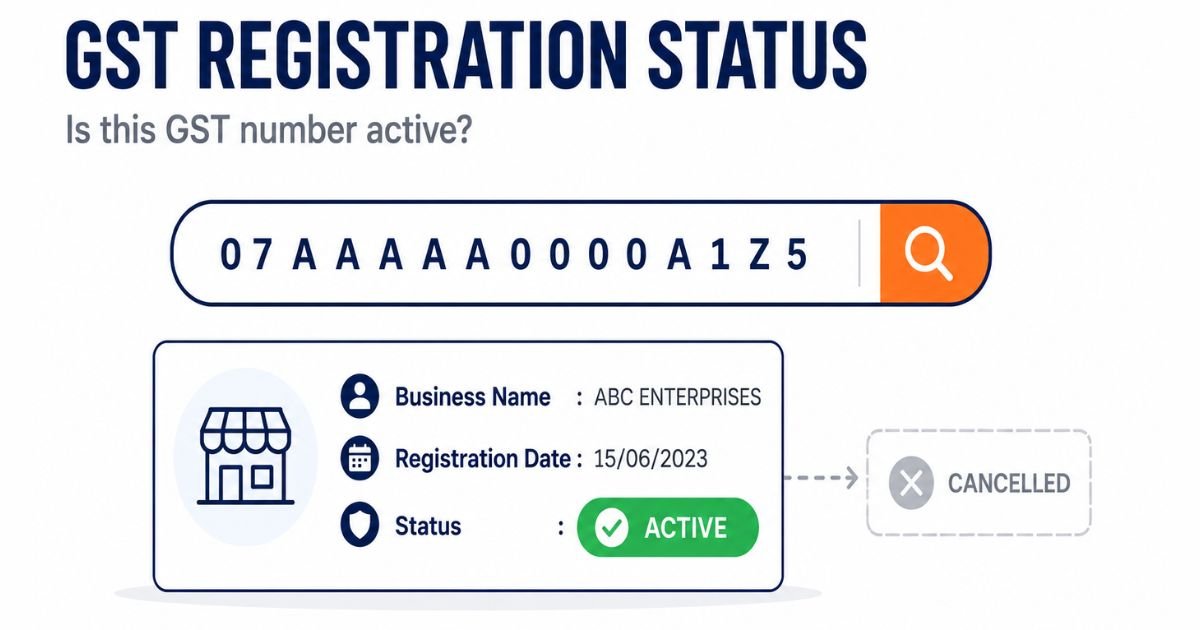
When people search for GST registration status, they usually mean one of two different things. Either they have applied and want to know where their own file has reached, or they have a GST number in front of them and want to know whether it is real and active. This page is about the second one.
Checking whether a GSTIN is active is free and takes under a minute on the GST portal. You do not need to log in. You put in the 15-digit number, the portal shows you the business name, the registration date, and whether the number is currently active or cancelled.
If you actually applied for a new registration and are tracking your own application, that is a different job. Use our GST ARN status page for that. If you have not applied at all yet, start from the GST registration page.
Expertise in GST Registration Status

Enquiry Form
Among Asia Top
100
Consulting Firm

Get Consultation
Lowest Fees
100,000 + Clients.

Service Delivery
4.9 Customers Rating
50+ Offices
Contact us today to schedule your appointment.
You can call us on +919953004880 or write to us at info@efilingcompany.com
Why Check a GST Registration Status at All
Most people who check a GSTIN are not being nosy. They have a real reason, and it usually comes down to money.
- A new supplier has given you their GST number. Before you start buying from them and claiming input tax credit, you want to know the number is genuine and the business is who they say they are.
- You received an invoice with a GST number on it. If that number is fake or cancelled, the input tax credit you claim against that invoice is at risk, and the loss lands on you, not the supplier.
- A customer or vendor asked for your own GSTIN details and you want to see exactly what the public record shows about your business.
- You are doing basic due diligence before signing a contract, onboarding a vendor, or releasing a payment.
The point worth being clear about is this. Input tax credit is only safe when the supplier is genuinely registered, the number is active, and they actually pay the tax they collect from you. Checking the registration status is the first of those three, and it is the one you can do yourself in a minute.
How to Check GST Registration Status Online
There are two ways to look up a GSTIN, depending on whether you have the number itself or only the PAN of the business.
Check by GST Number
This is the normal case, when someone has given you their 15-digit GSTIN.
- Go to www.gst.gov.in
- Click on Search Taxpayer, then Search by GSTIN or UIN
- Enter the 15-digit GST number
- Type the captcha and click Search
The result shows the legal name of the business, the trade name if there is one, the date of registration, the type of taxpayer, the constitution of the business, and the current status. That status line is the one that matters. It will read Active, or it will show that the registration has been cancelled or suspended.
Check by PAN
Sometimes you have the PAN of a business but not the GST number, or you want to see how many GST registrations sit under one PAN.
- Go to www.gst.gov.in
- Click on Search Taxpayer, then Search by PAN
- Enter the PAN and the captcha
- The portal lists every GSTIN registered against that PAN, along with the state and the status of each
This is useful because one PAN can hold more than one GSTIN. A business operating in several states has a separate GST number for each state, all tied to the same PAN. The PAN search shows you the full set.
What the Registration Status Tells You
The status line on the search result is short, but each value means something specific for you.
| Status shown | What it means | What it means for you |
| Active | The registration is live and in good standing. | Safe to deal with on the registration side. You can claim input tax credit on their valid invoices, provided they actually pay their tax. |
| Cancelled | The registration has been cancelled, either by the taxpayer or by the department. | Do not accept a fresh tax invoice on this number. Input tax credit against a cancelled GSTIN is a problem waiting to happen. |
| Suspended | The registration is temporarily suspended, usually while cancellation is being processed. | Treat with caution. The number may be on its way to cancellation. Ask the supplier what is going on before you transact. |
| Inactive | The number is not currently active on the portal. | Do not rely on it. Confirm with the supplier before any transaction that involves credit. |
VERIFY: confirm the exact status labels the portal returns on a live Search Taxpayer result before publishing, since the portal wording changes from time to time.
One thing the status does not tell you is whether the supplier is actually paying their tax. A GSTIN can be perfectly Active while the business behind it is not depositing the GST it collects. Registration status is the first check, not the only one. For anything large, your accountant will also want to look at their return filing record, which is a separate report.
How to Read a GST Number
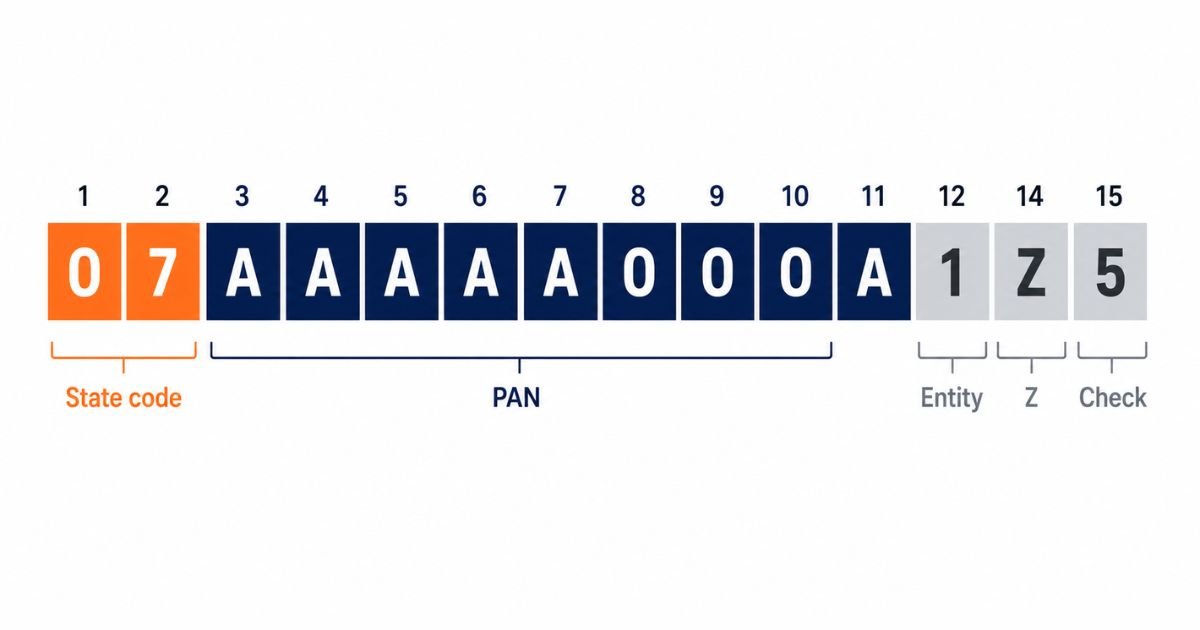
A GSTIN is not a random string. It is 15 characters and each part means something. Knowing the structure lets you spot an obviously fake number before you even reach the portal.
| Position | Part | What it is |
| 1 to 2 | State code | A number that tells you which state the registration belongs to. For example, 07 is Delhi and 27 is Maharashtra. |
| 3 to 12 | PAN | The ten-character PAN of the business. This ties the GSTIN directly to a PAN. |
| 13 | Entity number | Shows how many registrations the business holds against the same PAN in that state. |
| 14 | The letter Z | A fixed letter that is the same for almost every GSTIN. |
| 15 | Check character | A single character used by the system to catch typing errors. |
So the first two digits should match a real state, characters three to twelve should look like a valid PAN, and the fourteenth character is almost always Z. If any of that is clearly off, the number is likely fake and there is no point searching for it. But the only real proof is the portal search, because a number can be correctly formed and still not exist.
Spotting a Fake GST Number
Fake and cancelled GST numbers do circulate. Some businesses put a GSTIN on their bill to look registered when they are not, or keep using a number after it has been cancelled. The person who loses out is usually the buyer, because the input tax credit claimed against a fake or dead number gets reversed later, often with interest.
A few simple habits protect you:
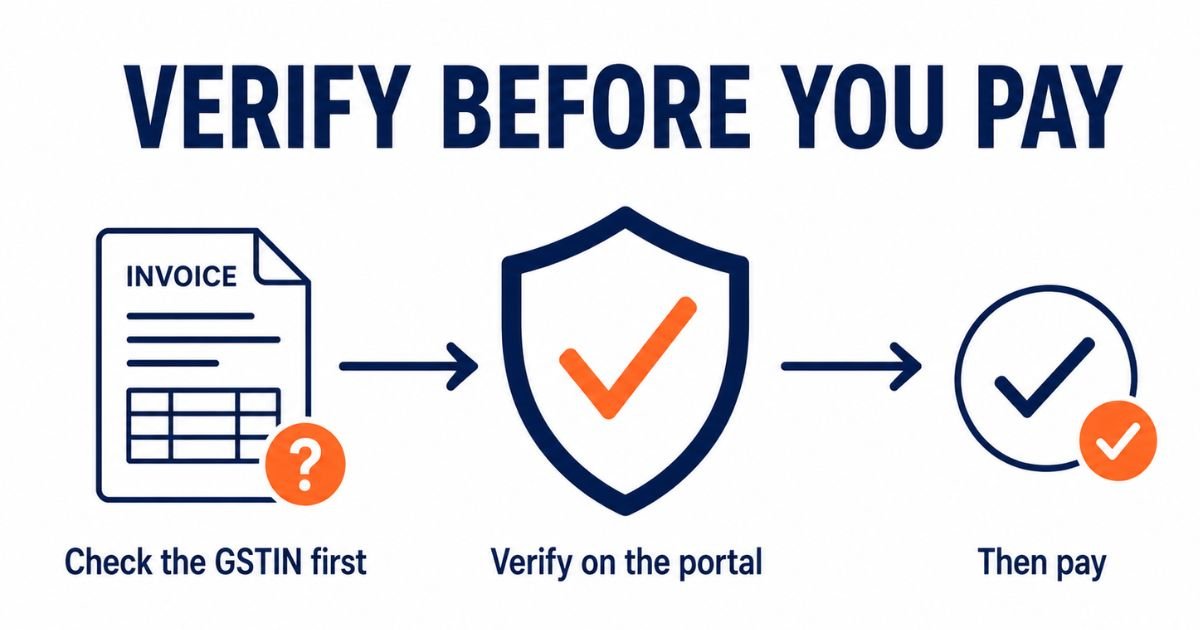
- Check any new supplier's GSTIN on the portal before your first purchase, not after.
- Confirm that the legal name shown on the portal matches the name on the invoice and the name of the party you are actually dealing with.
- Check the state code against where the supplier says they are based. A mismatch is worth a question.
- For a supplier you buy from regularly, check again from time to time. A number that was active last year can be cancelled this year.
None of this needs software. It is a one-minute check on the government portal, and it is the cheapest insurance you can buy against a credit reversal down the line.
Checking Your Own GST Registration Status
If the number you are checking is your own, the same Search Taxpayer tool shows you exactly what the public sees about your business. It is worth doing once in a while, because clients and vendors run this same search on you.
Make sure the legal name, trade name, and principal place of business shown on the portal are correct and current. If your business has changed address or name and the portal still shows the old details, that is a core amendment you need to file, and it can quietly cost you deals when a cautious client checks and sees a mismatch.
If you are the one who applied for a new registration and are waiting for it to come through, that is a different search entirely. The Search Taxpayer tool only finds numbers that already exist. A pending application is tracked by ARN on our GST ARN status page.
Common Problems When Checking a GST Number
The Number Shows No Result
First, check for typing errors. The digit 0 and the letter O get mixed up constantly, and so do the digit 1 and the letter I. Copy the number straight from the invoice rather than typing it from a photo.
If the number is definitely entered correctly and the portal still returns nothing, the GSTIN may simply not exist. A supplier who gave you a number that returns no result is a supplier to question before you pay anything.
The Name on the Portal Does Not Match the Invoice
The legal name on the portal is the registered name. It can differ from the trade name a business uses day to day, and that alone is not a problem. But if neither the legal name nor the trade name on the portal has any connection to the party you are dealing with, stop and confirm before transacting. That mismatch is one of the clearest signs of a borrowed or fake number.
The Status Shows Cancelled or Suspended
Do not accept a new tax invoice on a number in this state. Ask the supplier directly. Sometimes there is an innocent explanation and a fresh registration on the way. Either way, the credit on an invoice raised under a cancelled number is not something you want to be defending later.
After You Have Confirmed a GSTIN Is Active
Confirming that the registration is active is the first check, and for small routine dealings it is usually enough. For a supplier you are about to rely on heavily, two more things are worth doing before you commit.
Match the legal name on the portal against your contract and your invoice, so the party you pay is the party that is registered. And for anything large, have your accountant look at the supplier's return filing record, because a business can be registered and active while still not paying over the tax it collects. Registration status answers whether they exist. It does not answer whether they pay.
Need Help With GST Registration or Verification
If you are setting up as a supplier and want your own GST registration to be clean and correct so your buyers pass you without a second thought, we handle the whole registration process. If your business details on the portal are out of date and need correcting, we handle amendments too.
Call +91 99530 04880 or write to info@efilingcompany.com and we will sort it out.