gst registration certificate download pdf
Download your GST registration certificate PDF in a few minutes. Full REG-06 steps, the no-login truth, and what every real certificate contains.


2000
Happy Clients

1500
Expert Advisors

2+
Branch Offices
Free Consultation by Expert
.png)


.png)
.png)
Get Your REG-06 PDF
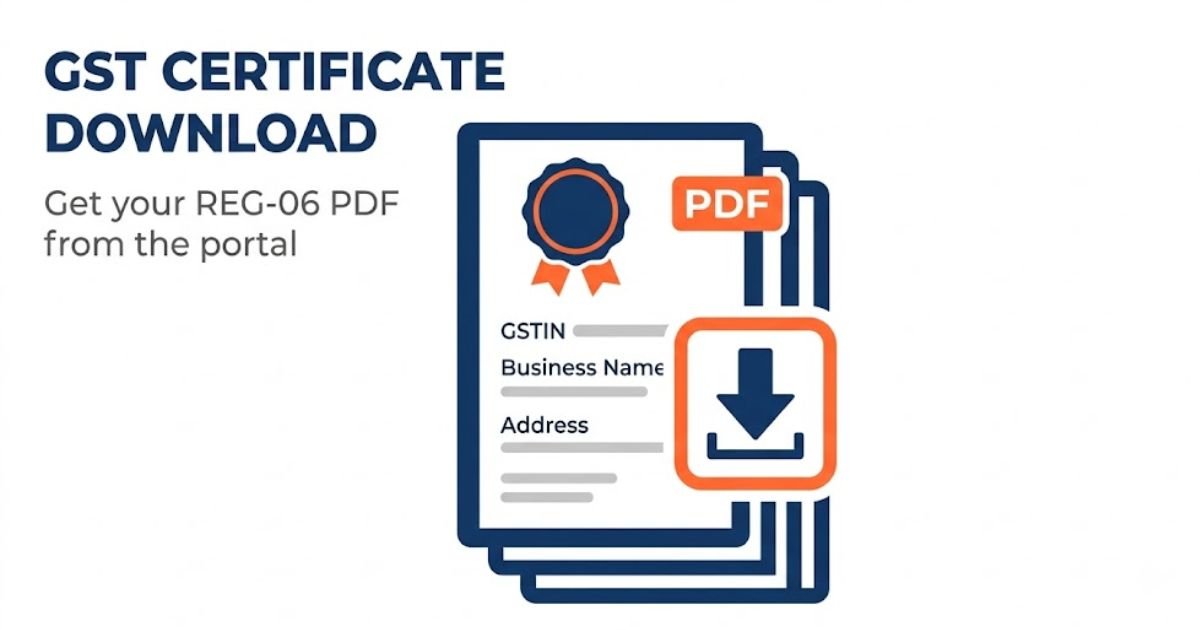
Your GST registration certificate is a PDF. There is no paper copy posted to you. The government issues it in Form GST REG-06, and you download it yourself from the GST portal after logging in. The whole thing takes a few minutes once you are logged in.
This page walks you through the download, explains why login is needed, clears up the common confusion about pulling the certificate by GST number or PAN, and shows you what the certificate actually contains. If you have not registered yet, start from our GST registration page. If you only want to check whether a number is active, that is our GST registration status page instead.
Expertise in gst registration certificate download pdf

Enquiry Form
Among Asia Top
100
Consulting Firm

Get Consultation
Lowest Fees
100,000 + Clients.

Service Delivery
4.9 Customers Rating
50+ Offices
Contact us today to schedule your appointment.
You can call us on +919953004880 or write to us at info@efilingcompany.com
What Is a GST Registration Certificate
The GST registration certificate is the official proof that your business is registered under GST. It is issued in Form GST REG-06 and it carries your GSTIN, your legal name, your trade name, and the address of your business.
Two things are worth knowing before you go looking for it:
- It exists only as a digital document. The government does not send a printed copy in the post. The PDF you download from the portal is the certificate, and it is fully valid on its own.
- For a regular taxpayer, it does not carry an expiry date. It stays valid as long as your registration is not cancelled or surrendered. Certificates for casual and non-resident taxpayers work differently, which we cover further down.
One point before we go further. You only reach this stage once your application is approved and your GSTIN is issued. If your registration is still pending and you are waiting for it to come through, there is no certificate to download yet. You can track that on our GST ARN status page.
How to Download GST Certificate from the Portal
The certificate is available only after you log in. There is no way around the login, and we explain why in the next section. Here are the steps.
- Go to www.gst.gov.in
- Click Login and enter your username and password. Complete the OTP if the portal asks for one.
- Go to Services, then User Services, then View or Download Certificates
- Find your certificate in the list. The type will show as REG-06.
- Click the download icon next to it. The file saves as a PDF.
That is the entire process. Once the PDF is on your device, save it somewhere you will find it again, because banks, clients, and vendors ask for it more often than you would expect. A sensible file name with your business name and the word GST saves you hunting for it in six months.
One common mistake to avoid. A screenshot of your GST dashboard is not the certificate. Some people send a picture of their portal screen to a bank or a client and it gets rejected. The actual REG-06 PDF is the only thing that counts as the certificate.
Can You Download the GST Certificate Without Login?
This is one of the most common questions, so here is the plain answer. No, you cannot download the certificate without logging in.
The reason is simple once you see it. Your certificate is a private legal document tied to your own account. It carries your business details, and the portal only hands it to the person who can log in to that account. That is a good thing, because you would not want anyone to be able to pull your certificate by typing your GST number.
There is a public tool on the portal called Search Taxpayer, and this is where the confusion comes from. That tool lets anyone check whether a GST number is active and see the business name, but it does not let anyone download the certificate PDF. It shows status, not the document. If checking a number is actually what you want, use our GST registration status page.
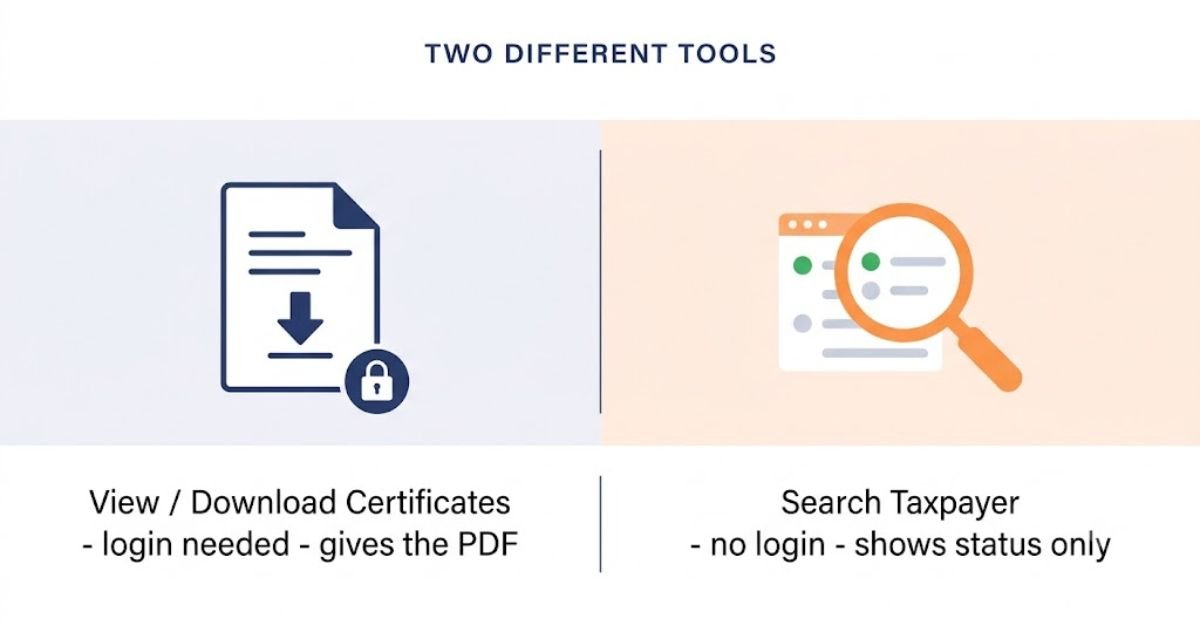
So if you have lost access to your login, the answer is not a no-login download. The answer is to recover your login, which we cover below.
Can You Download the Certificate by GST Number or PAN?
Another common belief is that you can type in a GST number, or a PAN, and pull the certificate. You cannot, and it is worth understanding why, because it saves a lot of wasted effort.
There are two different tools on the portal and people mix them up:
| What you want to do | Which tool | Login needed? |
| Download your certificate PDF | Services, then User Services, then View or Download Certificates | Yes. Only the account holder can download it. |
| Check if a GST number is active, by GSTIN or PAN | Search Taxpayer | No. This is public, but it only shows status, not the certificate. |
So searching by GST number or PAN tells you whether a registration exists and is active. It does not give you the downloadable certificate. The certificate only comes from the logged-in View or Download Certificates section. There is no shortcut around that.
What the GST Certificate Contains
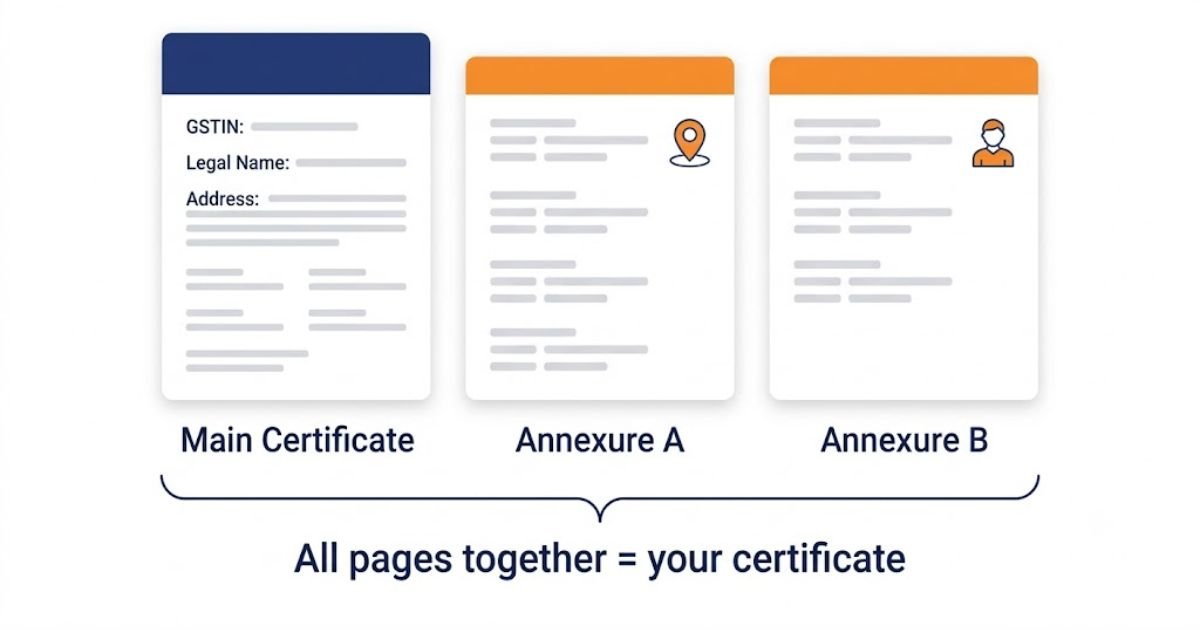
When you open the REG-06 PDF, you will notice it is not a single page. It has a main certificate and then one or two annexures, and all of them together make up the full document.
| Part | What it shows |
| Main certificate | Your GSTIN, legal name, trade name, constitution of business, the address of your principal place of business, the type of registration, and the date you became liable to register. |
| Annexure A | The additional places of business, if you have more than one location under the same registration. |
| Annexure B | The details of the people in charge, which means the proprietor, the partners, or the directors, depending on how the business is set up. |
This matters when someone asks for your certificate. If a bank or a client wants it for a loan or a big contract, send the whole PDF, all pages. Sending only the first page is a common way to get an application sent back, because the annexures are part of the certificate.
It also answers a question people often search for, which is what a GST certificate looks like or whether there is a sample. There is no blank template you fill in yourself. Only the government issues the certificate, and every real one follows this same REG-06 layout. Any website offering a fillable blank GST certificate is not giving you something official.
If You Forgot Your Login Details
Since the certificate needs login, a lost password is the usual thing that stops people. The portal has a recovery route for this.
On the login page, use Forgot Username or Forgot Password. The portal sends a one-time password to the mobile number and email address registered on your account, and you reset your access from there.
The harder case is when you no longer have access to the email address or mobile number that is registered on the account. This happens a lot when a consultant set up the registration years ago using their own contact details, and you have since parted ways. In that situation the reset OTP goes to details you cannot reach, and the recovery has to go through your jurisdictional office to update the authorised signatory details. This is worth getting professional help with rather than struggling alone, because it involves the department.
Displaying Your GST Certificate
Downloading the certificate is not the end of it. Under the GST rules, you are required to display the certificate at your place of business.
The certificate has to be shown at your principal place of business, and at every additional place of business you have listed. Along with that, your GSTIN has to be displayed on the signboard at the entry of your premises. This is a legal requirement, not a suggestion, and it is the kind of thing that gets checked during a physical verification or an inspection.
So once you have the PDF, print it, and put it up where it needs to be. It is a small step that people skip and then get pulled up on later.
When You Need to Download a Fresh Certificate
Your certificate is not a one-time download. Certain changes to your business mean the details on the old PDF are now out of date, and you need to download the updated one.
You will need a fresh copy after a change such as:
- A change in the registered address of your business
- A change in the legal name or trade name
- Adding a new place of business, which changes Annexure A
- A change in the proprietor, partners, or directors, which changes Annexure B
These are core amendments. Once the amendment is approved on the portal, a new certificate with the updated details becomes available in the same View or Download Certificates section. Download the new one and replace the old copy everywhere you have used it, including the copy on display at your premises. Using an outdated certificate creates mismatches that a careful client or a bank will notice.
Certificate for Different Taxpayer Types
The certificate is broadly the same document for everyone, but the validity differs depending on the type of taxpayer.
| Taxpayer type | What is different about the certificate |
| Regular taxpayer | The certificate has no expiry date. It stays valid until the registration is cancelled or surrendered. |
| Casual taxable person | The certificate is valid only for the period stated on it, tied to the period applied for. It can be extended by applying before it lapses. |
| Non-resident taxable person | Same idea as a casual taxable person. The certificate carries a validity period rather than being open-ended. |
VERIFY: confirm the exact validity period shown on casual and non-resident certificates against the current rule before stating any specific number of days here.
Get Help With Your GST Certificate
If you have lost access to your GST login and cannot download your certificate, or the details on your certificate are out of date and need an amendment, we can sort it out for you. We handle GST registration, amendments, and login recovery through the proper channel.
Call +91 99530 04880 or write to info@efilingcompany.com and tell us what you are stuck on.